
Scam calls are fraud, not just noise — how to spot one and what to do if you answered
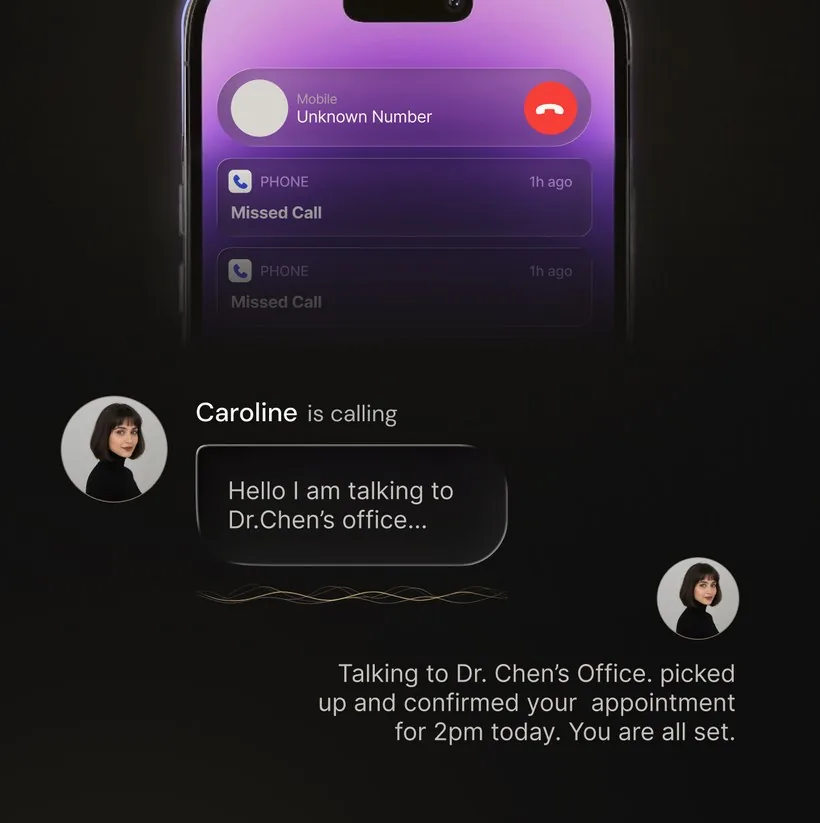
A scam call is a fraud attempt, not a nuisance call. Spam wastes a minute; a scam is after your bank balance, your card, your one-time codes, or your identity. That is why the answer is not a better blocklist — it is a habit. Three steps: give an unknown caller nothing, hang up and call the institution back on the number from your own statement or the back of your card, and screen unfamiliar numbers so the pressure has to get past something before it gets to you.
This page is about fraud specifically: how to recognise the 2026 scripts, why a spoofed caller ID proves nothing, and exactly what to do in the hours after you have already answered one. If the problem is call volume rather than fraud, the spam guides below cover that instead. For how widespread these scams actually are across the US, UK and India, see our phone scam statistics 2026 breakdown.
Key takeaways
- A scam call is fraud, not a nuisance: it is after your bank balance, your card, your one-time codes, or your identity.
- A spoofed caller ID proves nothing — “it said Chase” is not proof it was Chase.
- The safest response is a channel change: hang up and call back on a number from your own statement or the back of your card.
- Treat one-time codes as money. Reading one back to an inbound caller is reason enough to hang up.
- Already answered? Hang up, confirm nothing, call your bank, and report the call.
Need an immediate next step? Already answered or shared information · Reduce future scam calls. A familiar caller ID is not proof of identity.
Scam vs spam vs robocall
These terms get used interchangeably but describe different problems. A robocall is any call placed by an autodialer with a recorded or AI voice — the delivery method. A spam call is unwanted commercial outreach: warranty pitches, solar panels, surveys. Annoying, but not criminal in itself. A scam call is fraud — someone trying to extract money, account credentials, a Social Security number, or remote access by impersonating a person or institution you trust.
| Term | What it describes | Example |
|---|---|---|
| Robocall | The delivery method: a call placed by an autodialer | A recorded or AI voice |
| Spam call | Unwanted commercial outreach — annoying, but not criminal in itself | Warranty pitches, solar panels, surveys |
| Scam call | Fraud: extracting money, credentials, a Social Security number, or remote access | Impersonating a person or institution you trust |
Every scam is unwanted, but not every spam call is a scam — and the fix is different. Blocking and filtering are the right tools for volume: our guides on how to stop spam calls in 2026 and why you are getting so many spam calls cover that. The rest of this page is about the calls that cost people money.
The common 2026 scam scripts
Scripts change, but the fraud pattern is stable: claim authority, create urgency, demand secrecy, and stop you from verifying through a trusted channel. When a call is doing all four, treat it as fraud — whatever the screen says.
The safest response is a channel change: end the call, then contact the institution or person using a number or app you already trust.
Why a spoofed caller ID proves nothing
Almost every scam above leans on the same trick: caller ID spoofing. VoIP software lets a caller set the displayed number to almost anything — your bank’s main line, your own area code (see our 216 area code guide for one real example), a real US government number, even your own number. The receiving phone has no easy way to verify whose line actually placed the call, so “it said Chase” or “it said IRS” proves nothing.
The receiving phone has no easy way to verify whose line actually placed the call, so “it said Chase” or “it said IRS” proves nothing.
The US and Canada have an authentication framework called STIR/SHAKEN, designed to reduce spoofing by letting carriers verify that a call originated from the number it claims. It has made progress against the most basic spoofing, and some carriers now show a “verified” label on calls that pass. It is not perfect — calls routed through partially-authenticated gateways or overseas networks arrive with weakened signals, and it does nothing about the human voice on the other end. Treat any indicator as one input, never as proof. For more on spoofing in practice, see spam calls from my own number. If you are in Canada and getting unsolicited duct-cleaning or home-service calls, see are air duct cleaning calls in Canada a scam?
Defenses that lower fraud risk
Filters reduce how many scam calls reach you. They cannot judge whether the one that gets through is genuine — so the habits below the first two lines do more of the work than any filter setting:
- Enable phone and carrier spam protection. It thins the volume. Availability and controls vary by device, country, carrier, and plan.
- Screen or silence unfamiliar callers. Keep a fallback voicemail or screening path so a real bank or clinic can still reach you.
- Treat one-time codes as money. Banks, delivery firms and government offices do not ask you to read a login code back to an inbound caller. That request on its own is reason enough to hang up.
- Change the channel before you act. Hang up, then use a number, app, or statement you already had — never one the caller supplied, however official it sounds.
- Agree a family code word. It costs one conversation and defuses the “it’s me, I’m in trouble, don’t tell anyone” script, including voice-cloned versions of it.
- Register at donotcall.gov. It can reduce lawful US telemarketing; it does not bind criminals.
The device-by-device settings are a separate job from fraud awareness. If that is what you came for, see how to stop spam calls on iPhone and how to stop spam calls on Android — those guides walk through every toggle.
Where AI screening helps against fraud
Fraud works on the person, in real time. Screening puts something between the script and you: it asks who is calling and why before you engage, and depending on the product you get a transcript or summary afterwards. You read the caller’s claim in your own time, with none of the urgency that makes the script work.
It is not proof of identity and cannot catch every scam. Forwarding, connectivity, caller behavior, and transcription can affect the result — so treat a screened summary as context, then still verify through your own channel before money or credentials move. See how AI call screening works.
What to do if you already answered
Speed matters more than embarrassment — scammers count on shame slowing the response. Work this list in order.
- Hang up. Do not stay on the line to argue or “test” them. The conversation has nothing left to offer.
- Do not confirm anything, even to deny it. “Yes, that’s my address, but no I didn’t make that purchase” is two confirmations.
- If you shared bank, card, or account details: call your bank using the number on the back of your card — not any number the scammer gave you. Ask them to freeze the account, reissue the card, and flag recent activity.
- If you shared your Social Security number: place a free credit freeze with all three US bureaus (Equifax, Experian, TransUnion). A freeze blocks new accounts being opened in your name; lift it temporarily when you need credit.
- If you installed remote-access software or shared a login code: disconnect the device, run a full antivirus scan, change passwords from a different device, and revoke active sessions on the affected accounts.
- Report the call at reportfraud.ftc.gov and your state attorney general’s office. If money moved, also report it to local police. Reports feed the investigations that eventually shut these operations down.
Frequently asked questions
What’s the difference between a scam call and a spam call?
A spam call wastes your time — a robocall trying to sell you a warranty or vacation. A scam call is trying to steal money or personal information by pretending to be your bank, the IRS, a relative in trouble, or a delivery driver. Spam is annoying; scams are criminal.
How do scammers spoof caller ID?
They use VoIP software to display any number they choose — often your own area code, a local business name, or a real government number. The receiving phone has no easy way to verify whose line actually placed the call, which is exactly why “it looked like my bank” never proves anything.
What should I do if I already answered a scam call?
Hang up. Do not confirm any personal information, even to deny it (“yes that’s me, no I didn’t make that purchase” is two confirmations). If you shared account or card details, contact your bank to freeze the account. If you shared your Social Security number, freeze your credit at all three bureaus. Then report the call at reportfraud.ftc.gov.
Does STIR/SHAKEN actually stop spoofed scam calls?
Not fully. STIR/SHAKEN is the US and Canadian caller-ID authentication framework designed to reduce spoofing by letting carriers verify that a call originated from the number it claims. It has made progress against the most basic spoofing, but it is not perfect — scammers route through legitimate-looking gateways and overseas networks that water down the signal. Treat a green check or unverified label as one input, never as proof.
Will the Do Not Call registry stop scam calls?
No, and this is the most common misconception. The Do Not Call registry at donotcall.gov only binds legitimate US telemarketers. Scammers are already breaking the law by defrauding you — they ignore the registry entirely. Register anyway to cut the legal noise, but do not expect it to touch the calls that actually cost people money.
Can AI call screening block every scam?
No screening tool catches everything, and AI is no exception. Screening can ask who is calling and why before you engage, then may provide a transcript or summary depending on the product and settings. Treat the result as context, not proof of identity.
Last reviewed: August 25, 2026.
Let the scam script hit a screener, not you
OsmO answers unknown callers on your existing number, asks who is calling and why, and hands you the transcript. You read the claim instead of arguing with it live.
More on fraud calls: Calls from your own number · Duct cleaning scam calls in Canada · How to stop loan spam calls · How AI call screening works
If it is call volume, not fraud: How to stop spam calls in 2026 · Why am I getting so many spam calls? · Stop spam calls on iPhone · Stop spam calls on Android · 2026 robocall statistics