
How to Stop Spam Calls in 2026 on iPhone and Android
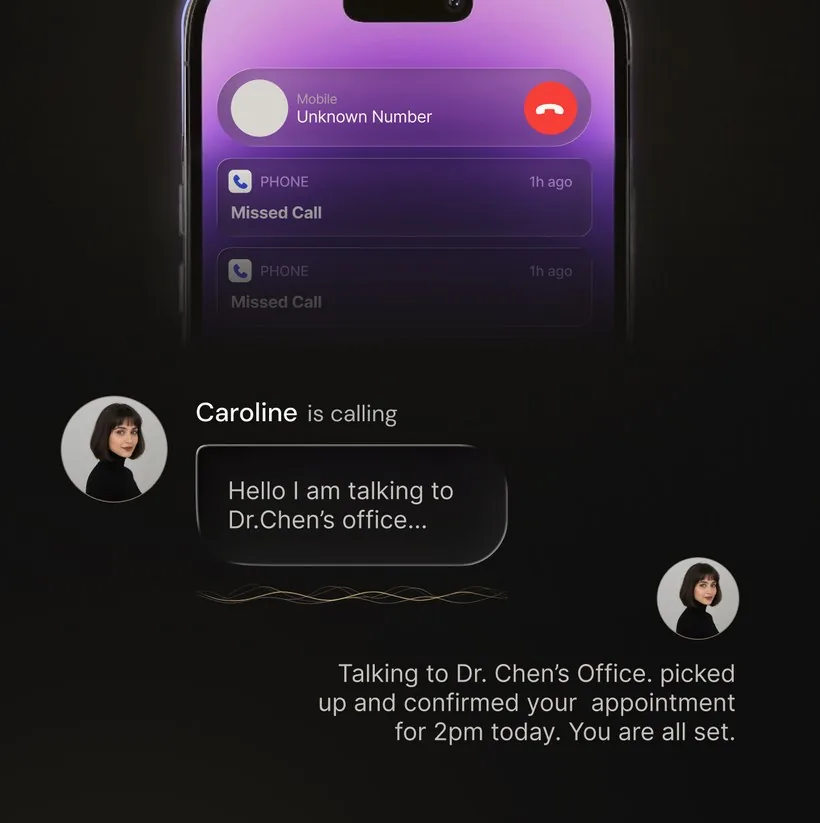
Short answer: use several layers. Turn on your phone and carrier spam filters, screen or silence unknown callers, block repeat numbers, report unwanted calls, and add your number to the US National Do Not Call Registry. No single setting catches every unwanted call, but these five steps reduce interruptions without pretending that every unknown number is spam.
If a caller is trying to steal money or personal information rather than sell something, use the separate phone scam response guide. This page focuses on unwanted sales calls, robocalls, and suspected spam.
Five steps to reduce spam calls
- Enable your phone's spam warnings and filters. Current iPhones can screen, silence, and filter unknown or carrier-identified spam calls. Google's Phone app can show caller and spam ID, and supported devices can filter suspected spam.
- Turn on your carrier's call-protection tools. Availability and names vary by carrier, so check the current blocking or labeling option included with your mobile plan.
- Block repeat callers. Blocking a number helps with repeat calls from that number. It cannot stop the same sender from rotating to a different or spoofed number.
- Report unwanted calls. Use your phone's report-spam control and report illegal robocalls at DoNotCall.gov. Reports support enforcement and may improve spam labeling; they do not create an instant personal block.
- Join the National Do Not Call Registry. Registration is free and is designed to reduce sales calls from legitimate companies. The FTC warns that scammers ignore the registry, so keep the other layers enabled.
How to stop spam calls on iPhone
On current iPhone software, go to Settings > Apps > Phone. Under Screen Unknown Callers, choose whether unknown callers should ring normally, be asked for a reason before the phone rings, or be silenced. Under Call Filtering, turn on the available spam option to silence calls your carrier identifies as spam or fraud. Apple notes that features and behavior can vary by region, carrier, roaming state, and software version.
If you still need calls from doctors, schools, tradespeople, or delivery drivers, screening is less blunt than silencing every unsaved number. Add important numbers to Contacts and review the Unknown Callers and Spam lists periodically.
How to stop spam calls on Android
In Google's Phone app, open Settings > Spam and Call Screen (the wording can vary), then enable caller and spam ID. On supported devices, you can also filter suspected spam or use Call Screen. Samsung and carrier-supplied dialers use different menus, so check the current help page for your phone model and carrier rather than assuming Google's controls are present.
Google says its spam and caller-ID feature uses signals about numbers outside your contacts to warn about possible spam. A warning is a likelihood signal, not proof that a caller is fraudulent.
When call screening helps
Number-based filters work best when a caller has already been identified or reported. Call screening adds context by asking an unknown caller who they are and why they are calling. Built-in screening is available on supported iPhones and Pixel devices. Third-party services can provide other workflows.
OsmO - AI Phone Assistant can handle configured incoming calls through call forwarding on your existing number, ask why someone is calling, identify obvious spam during the conversation, and provide a transcript after an assistant-handled call. OsmO does not guarantee that every spam call will be identified. It is free to download on iPhone and Android; paid plans and any available trial are shown in the relevant store purchase screen.
What these tools cannot promise
- No filter catches everything. New and spoofed numbers can evade number-based lists, while screening can still misclassify a caller.
- Blocking one number is narrow. It does not stop a caller who changes numbers.
- The Do Not Call Registry is not a scam shield. It applies to legitimate sales calls; criminals ignore it.
- Silencing every unknown caller has a cost. Real callers may go to voicemail or an unknown-caller list.
Official sources checked
Instructions and limitations were checked on August 4, 2026. Phone, carrier, and regional availability can change.
- Federal Trade Commission: How to Stop Unwanted Calls
- Apple Support: Manage Unknown Callers on iPhone
- Google Phone Help: Use Caller ID and Spam Protection
Use layers, then review what they catch
Start with the free controls already available from your phone and carrier. Add screening when you need context from legitimate unknown callers, and review filtered calls occasionally so an important number does not stay hidden. Treat any app or warning label as one layer, not a guarantee.
Want an assistant to screen configured calls?
OsmO can ask why someone is calling and provide a transcript after an assistant-handled call. Free to download on iPhone and Android.