
How to stop loan spam calls — when the caller has a new number every day
Loan calls do not stop because you block them. The person on the other end is working a purchased list from a dialer with a pool of numbers, so the number you blocked this morning is not the number that rings you this evening. Blocking is a treadmill you can walk forever without arriving.
What actually reduces them is a stack: register on DND or the Do Not Call list to remove the lawful layer, stop feeding the lists that carry your number, turn on the filtering your phone already has, and then put something in front of unknown numbers so a fresh number has to explain itself before it reaches you. This page is written India-first, with the US equivalents beside each step.
Key takeaways
- Loan callers work a purchased list from a dialer with a pool of numbers, so blocking one number does nothing.
- Register on DND (India) or the Do Not Call list (US) — it removes the lawful layer, not the persistent callers.
- Stop feeding the lists: treat “check your eligibility” forms as advertising.
- Turn on your phone’s spam filtering, then put a screener in front of unknown numbers so a fresh number has to explain itself.
Where the loan callers got your number
Almost never from you, and almost never directly. Your number sits on a lead list — a spreadsheet of people believed likely to borrow — and lead lists are bought, sold, split and resold between agents. One enquiry can circulate for years, which is why the calls come from firms whose names you have never heard.
This matters for one practical reason: there is no central place to delete yourself from. The list has already been copied. Asking one caller to remove you removes you from one copy, so the fix cannot be “get off the list” — it has to be “make the call not reach me.”
There is no central place to delete yourself from. The list has already been copied.
Why blocking one number does nothing
You are blocking a number. The problem is a caller. A telecalling floor dials through a pool of numbers, and a dialer switches between them automatically — sometimes on every call. Block one and the next one is already waiting.
- Blocking is the right tool for a caller you meet once. A single pushy agent from a single number: block, done.
- It is the wrong tool against a pool. Your blocklist grows, the calls do not shrink, and you spend time curating a list that describes yesterday.
- Your carrier’s spam label is a guess, not a block. A flagged number still rings. And the label lags a fresh number, because the network needs to see the number misbehave before it can score it — see what “Spam Risk” actually means.
The rule that follows from this: anything keyed to a specific number — a blocklist, a reported number, a contact you saved as “DO NOT ANSWER” — only works on numbers you have already met. To get ahead, you need something that treats every unknown number the same way.
DND in India, Do Not Call in the US — and the limits
Both countries run a registry. Both are worth joining. Neither is the whole answer, and knowing exactly what each one covers saves you from expecting more than it can give.
India: the DND registry
You can register your number for Do Not Disturb through your telecom operator’s app or website, by SMS, or by calling 1909. You can block all commercial categories or pick the ones you want silenced — banking, insurance and financial products is the category that covers loan offers. The same channel is where you report a call that reached you anyway, and a report is more useful than a block, because it goes to the source rather than to your own screen.
The limit is worth understanding precisely. DND binds registered telemarketers, and a registered telemarketer in India is supposed to call you from the 140 number series. Look at the last loan call you got: if it came from an ordinary 10-digit mobile number, it did not come through that system, and the registry has no hold on a caller who never entered it. Registering still removes the lawful layer of the noise and gives you a reporting channel — do it, then handle the rest at the phone. Processes and categories change; confirm the current steps with TRAI or your operator.
Check the last loan call you got. A registered telemarketer in India is supposed to call from the 140 number series. If it came from an ordinary 10-digit mobile number, it did not come through the DND system, and the registry has no hold on that caller.
US and Canada: the Do Not Call registry
Register at donotcall.gov. It binds legitimate telemarketers, and complaints filed there feed enforcement. It does not bind an outfit that is already ignoring the rules, which is why a US reader gets the same experience as an Indian one: the polite callers stop and the persistent ones do not. Our guide to scam calls versus spam calls covers the fraud end of that spectrum, which needs different habits again.
| India: DND registry | US and Canada: Do Not Call registry | |
|---|---|---|
| How to register | Your operator’s app or website, by SMS, or by calling 1909 | donotcall.gov |
| Who it binds | Registered telemarketers, meant to call from the 140 number series | Legitimate telemarketers |
| Who it does not stop | A caller on an ordinary 10-digit mobile number who never entered the system | An outfit already ignoring the rules |
| Reporting | Report a call that reached you anyway through the same channel | Complaints filed there feed enforcement |
What to say, and what never to say
If you do pick up, the call has exactly one useful ending. Say that you do not consent to marketing calls and want your number removed, then hang up. Do not argue, do not explain, do not ask how they got the number — every extra second is a second of engagement the agent is measured on.
- Never confirm personal details. Not your full name, your employer, your income, your date of birth, your address, your PAN or Aadhaar, your card number, or a one-time code. A genuine lender you already have a relationship with does not need you to read any of these back to an inbound call.
- Do not press a key to be removed. On a recorded call, a keypress mainly proves the number is live.
- Do not call back. Ring the lender on the number printed on your own statement or in the official app, never a number the caller supplied.
- Stop feeding the lists. Treat “check your eligibility” forms as advertising. When a form demands a phone number for something that does not need to phone you, that is the moment your number joins the next list.
Do not call back. Ring the lender on the number printed on your own statement or in the official app, never a number the caller supplied.
Blocking and filtering on iPhone and Android
These are worth turning on even though they cannot keep up with a rotating pool on their own. Think of them as thinning the volume rather than ending it. Menu names vary by iOS version, by Android manufacturer, and by country.
iPhone
- Block one number: Phone app > Recents > the ⓘ beside the call > Block this Caller.
- Silence unknown callers: Settings > Apps > Phone > Silence Unknown Callers (on older versions, Settings > Phone). Anyone not in your contacts, recent outgoing calls or Siri suggestions goes straight to voicemail and appears in Recents. Quiet — and blunt, so check voicemail.
- Quiet hours: Settings > Focus > Do Not Disturb > People decides who may still ring during those hours.
- Recent iOS releases add a screening step of their own — see what iOS 26 call screening does, and the full iPhone walkthrough.
Android
- Block one number: Phone app > Recents > long-press the call > Block or Block & report spam.
- Caller ID and spam filtering: Phone app > three-dot menu > Settings > Caller ID & spam. Turn on both caller and spam ID and the spam filter, so flagged calls land in a filtered list instead of ringing.
- Contacts only: Settings > Sound & vibration > Do Not Disturb > Calls can be limited to contacts or starred contacts. Same bluntness warning as the iPhone setting.
- The device-by-device detail is in the Android guide.
Contacts-only settings are blunt. Silence Unknown Callers on iPhone and a contacts-only Do Not Disturb on Android will also silence the delivery driver at your gate, a clinic calling from a new line, and the bank’s fraud desk. If you use them, check voicemail and the filtered list.
Where an AI screener fits
Every layer above is either a list of numbers or a mute switch. A screener is neither, and that is the point: it works on the unknown call, whichever number it comes from.
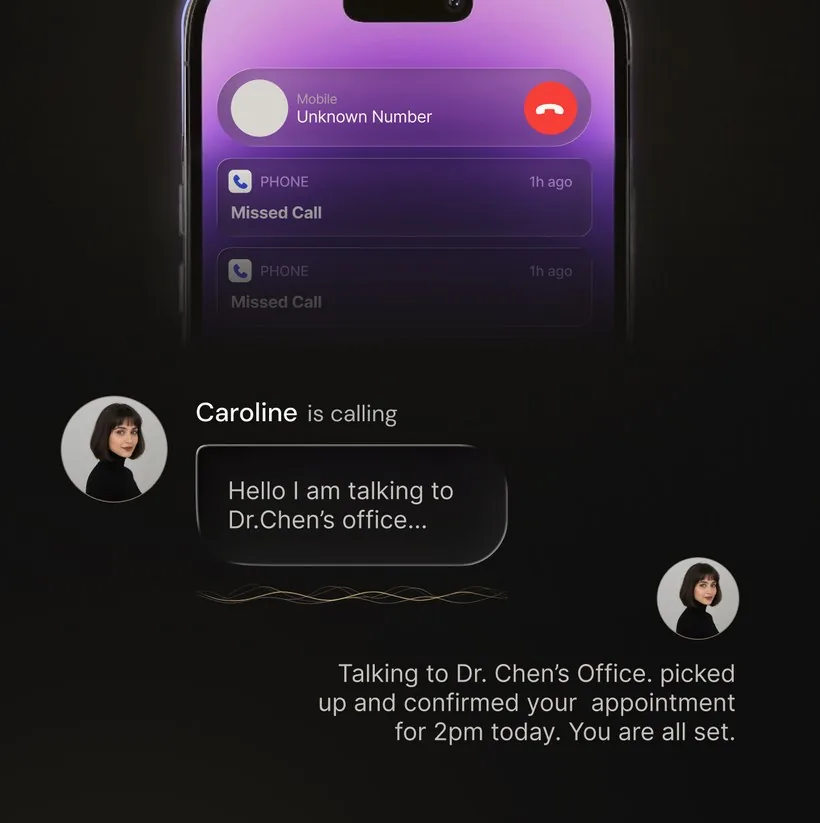
OsmO answers calls from unknown numbers on your existing number, using call forwarding — your number does not change and you do not hand it out again. The assistant asks who is calling and why, and you get the transcript. So:
- A rotating number stops mattering. The thousandth new number gets the same two questions as the first.
- The loan pitch never reaches you. The agent explains themselves to the assistant, and you read a line of text later instead of taking a call during a meeting.
- You still see the real ones. This is the difference from silencing unknown callers outright: the courier at your gate, the clinic calling from a new line and the bank’s actual fraud desk all get answered and written down, so nothing genuine disappears into a voicemail you forget to check.
A rotating number stops mattering. The thousandth new number gets the same two questions as the first.
It is not a guarantee and it is not proof of identity. Forwarding setup, connectivity, caller behaviour and transcription all affect the result, and some callers hang up the moment a screener speaks — which, for a loan agent working a list, is a result rather than a problem. Before money or credentials move, still verify through a channel you chose. More on the mechanics: how AI call screening works and how to set up call forwarding.
Frequently asked questions
How did loan companies get my number?
Usually from a list rather than from you directly. Loan comparison sites, credit-score checkers, insurance forms, contest entries and app sign-ups all collect a phone number, and lead lists are bought, sold and resold between agents. An enquiry you made once, or a form a friend filled with your number on it, can circulate for years. That is why the calls arrive from firms you have never heard of.
Why does blocking the number not stop the calls?
Because you are blocking a number, not a caller. A telecalling floor dials from a pool of numbers and rotates through them, so the next call comes from a number your blocklist has never seen. Blocking is worth doing for a caller you will only ever hear from once, but against a rotating pool you are always one number behind.
Does DND registration stop personal loan calls in India?
It stops part of them. DND registration binds registered telemarketers, which in India are meant to call from the 140 number series. Loan calls very often arrive from an ordinary 10-digit mobile number, which is the signature of an agent operating outside that system, and the registry has no hold on a caller that never registered. Register anyway, because it removes the lawful layer, then handle the rest at the phone.
How do I stop personal loan spam calls for good?
There is no single switch that ends them, and any tool promising one is overstating what it can do. What works is stacking layers: register on DND or the Do Not Call list, stop giving the number to lead-generating forms, turn on your phone’s spam filtering, and put a screener in front of unknown numbers so an unrecognised caller has to explain itself before it can reach you.
Should I answer a loan call and ask to be removed from the list?
With a registered telemarketer, asking to be removed is a reasonable request and is worth making once. With an agent working off a purchased list, answering confirms the number reaches a real person, which can raise its value on the next list. Do not give out your PAN, Aadhaar, date of birth, income, card details or a one-time code to somebody who rang you.
Can I just silence every unknown number?
You can, and it is quiet, but it is blunt. Silence Unknown Callers on iPhone and a contacts-only Do Not Disturb on Android will also silence the delivery driver at your gate, a clinic calling from a new line, and the bank’s fraud desk. If you use that setting, check voicemail and the filtered list, or run a screener that answers unknown numbers instead of muting them.
What does an AI screener do about a caller who changes numbers?
It makes the number irrelevant. OsmO answers calls from unknown numbers on your existing number using call forwarding, asks who is calling and why, and shows you the transcript. A fresh number gets the same questions as the last one, and you read what the caller said instead of deciding from a name on the screen.
Last reviewed: September 22, 2026. Registry processes, menu paths and carrier features change — confirm the current steps with TRAI, your operator, or your device settings.
Let the loan pitch talk to something else
OsmO answers unknown numbers on your existing number, asks who is calling and why, and hands you the transcript. The caller can change number as often as it likes — it still has to get past the same two questions.
More on unwanted calls: Why am I getting so many spam calls? · How to stop spam calls in 2026 · What “Spam Risk” means · Scam calls, and what to do if you answered
Set it up on your phone: Stop spam calls on iPhone · Stop spam calls on Android · Set up call forwarding · How AI call screening works