
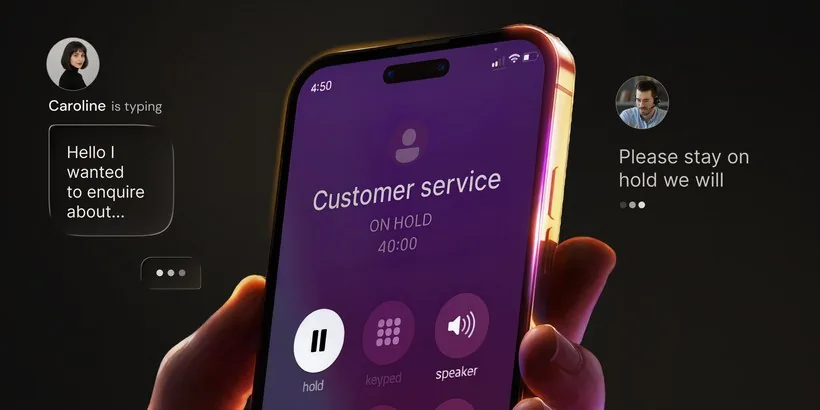
AI voicemail is voicemail with AI doing part of the work — writing or voicing your greeting, transcribing the messages people leave, or, in its newest form, answering the call and holding a short conversation so no message is left at all.
The short answer. The first two kinds still end with a recording you have to read or play. Only the third — something that answers while the caller is still on the line — ends with an answer. Start with the builder below if you just want wording you can copy.
Build Your Greeting Here
Choose what the line is for, how it should sound, and how long it should run. The greeting rewrites itself as you choose. Type your name over the placeholder and copy it — there is nothing to sign up for and nothing you type leaves this page.
Hi, you’ve reached [your name]. [your name] here. You’ve reached [your name]. I can’t pick up right now — leave your name, your number and one line on what you need. I can’t get to the phone — tell me who you are and what it’s about. I don’t answer numbers I don’t recognise, so please say who you are and why you’re calling. I’m away and not picking up — leave your name, your number and how urgent it is. Thanks for calling — you’ll hear back from me by this evening. You’ll hear back by this evening. If it needs a call back, you’ll get one by this evening.
Two sentences — roughly ten seconds spoken. Three sentences — roughly fifteen seconds spoken.
Read it out loud before you record it, and time it. If it runs long, drop the last sentence — callers hang up on greetings that keep going.
What no greeting can do. However good the wording is, the caller is still talking to a recording. Nothing is listening, so nothing can ask them the follow-up question you actually need — and you are still left with a message to play back. That limit, in full.
Key takeaways
- You can build one here: pick a purpose, a tone and a length, then copy the greeting — no sign-up, no download.
- “AI voicemail” covers four different products: an AI-written greeting, an AI-voiced greeting, a mailbox that transcribes messages, and an assistant that answers the call.
- A good greeting does four things in under fifteen seconds: says who the caller reached, that you can’t pick up, the one detail you need, and when you’ll reply.
- Copy a greeting from the block that matches your situation — work, personal, screening unknown numbers, or away — and swap the name.
- The honest limit: with any greeting, the caller is still talking to a recording, so nothing can ask them a follow-up question.
- Live call screening is the different thing: it answers during the call, asks who is calling and why, and leaves you a summary instead of a message.
What AI Voicemail Actually Means
Four products wear the same name. Knowing which one you are looking at saves a lot of disappointment.
You type a few details, a language model writes the wording, and you record it in your own voice. The only AI part happened before you pressed record.
A synthetic voice reads that wording aloud and hands you an audio file. Useful if you dislike hearing yourself. The caller experience is identical.
Messages still get left, but you read them as text instead of playing them. Better than nothing, and still a queue of things to get through.
The call is picked up and a short conversation happens. Nobody leaves a message, because the questions got asked while the caller was still on the line.
Options 1 and 2 are what most searches for an AI voicemail generator land on. They change how your greeting sounds. They do not change what happens after the beep, which is the part that costs you time.
16 AI Voicemail Greetings You Can Copy
Pick the block that matches your situation, copy a line word for word, swap the name, and record it. Every one of these is under fifteen seconds spoken, because long greetings get hung up on.
Whatever wording you use, a greeting that works says four things:
- Who the caller has reached.
- That you can’t pick up — briefly, without the life story.
- The one detail you need from them: a name, a number, an order reference, or what it’s about.
- When you’ll come back to them — a timeframe you can actually keep.
Ask for the detail out loud. A caller who is told exactly what to say usually says it, and that is the difference between a message you can act on and one you have to call back about.
Work and business greetings
For a line people call about money, bookings or work in progress. Say the hours, ask for the reference.
“You’ve reached Aisha. I’m heads-down until five. Leave your number and one line on what you need, and I’ll come back to you this evening.”
“Hi, this is Marco. If you’re calling about a project, tell me what it is and roughly when you need it, and I’ll reply with times we can talk.”
“Thanks for calling Corner Cycles. We’re open ten to six, Tuesday to Saturday. Leave your name, number and what the bike’s doing, and we’ll ring you back.”
“You’ve reached the service desk. If this is about an existing order, please leave the order number and your name first, then what you need — it saves us a call back to ask.”
Personal, everyday greetings
For your own number. Warm, short, and clear about the faster way to reach you.
“Hi, you’ve reached Priya. I can’t pick up right now — leave your name and what it’s about, and I’ll get back to you today.”
“Hi, it’s Tom. Name and reason after the tone, please. Thanks.”
“Hey, it’s Nina — missed you. Say hello and I’ll call you straight back. If it’s urgent, text me instead, I’ll see that faster.”
“This is Ben. I’m bad at voicemail, so text me and I’ll actually reply. If you’d rather leave a message, go ahead — just say who you are first.”
Greetings for screening unknown callers
If you don’t answer numbers you don’t recognise, say so. A real caller will identify themselves; a cold sales call usually won’t bother.
“This is Daniel. I don’t answer numbers I don’t know, so please say who you are and why you’re calling. If it’s useful, I’ll call back.”
“You’ve reached Fatima. If you’re calling from a company, please say which one and what it’s regarding. Anything unnamed, I won’t return.”
“Hi, this is Raj. I don’t take sales calls on this number. If we know each other, leave your name and I’ll ring you back this evening.”
“You’ve reached Lena. If this is a delivery, the buzzer is flat four and you can leave the parcel with the neighbour. Anything else, leave your name and what it’s about.”
Out-of-office and away greetings
Give a date, not “currently unavailable”, and name one other route for anything urgent.
“This is Sam. I’m away until the twelfth and not checking messages. If it can’t wait, email me — otherwise leave a message and I’ll pick it up when I’m back.”
“You’ve reached Hannah. I’m out of the office this week. For anything that can’t wait, Omar is covering — otherwise leave your name and number and I’ll call on Monday.”
“Thanks for calling. We’re closed for the holiday and open again on Tuesday morning. Leave your name, number and what you need, and we’ll call you back in order.”
“It’s Chris. I’m travelling and picking up messages once a day. Leave your name, your number and how urgent it is, and I’ll work down the list.”
Two rules run through all sixteen. Ask for the one detail you need — a name, a number, an order reference. And set an expectation you can keep: “today” is a promise, “as soon as I can” is not.
AI Voicemail vs Standard Voicemail vs Live Call Screening
Three things sit on the same phone line, and they get mixed up constantly. The difference is simple: is anything still listening while the caller speaks?
The whole difference is whether anything is still listening.
What happens to one unanswered call, on each of the three set-ups.
- Caller rings
- Your recorded greeting plays
- They leave audio
- You listen back
- Caller rings
- AI-written or AI-voiced greeting plays
- They leave audio
- You read it or listen back
- Caller rings
- An assistant answers and asks who and why
- It asks a follow-up
- You read a summary
| Standard voicemail | AI voicemail | Live call screening | |
|---|---|---|---|
| Who talks to the caller | Your recording | A recording, written or voiced by AI | An assistant, live on the call |
| Can it ask a question | No | No | Yes |
| Does the caller leave a message | Yes | Yes | No — they answer instead |
| What you get | Audio to play | Audio, usually with a transcript or summary | A summary plus the transcript |
| Unknown callers | Same line for everyone | Same line for everyone | Asked who they are |
| Still something to check | A mailbox | A shorter queue | No mailbox to check |
| Best when | You rarely miss calls | You want a better greeting today | You miss a lot of calls and want the reason |
So an AI greeting and a transcribing mailbox are improvements to voicemail. Live call screening is a different job: it replaces the mailbox with a short conversation. Both are useful — just be clear which one you are shopping for, because the marketing for the first often borrows the language of the second.
Do You Need a Separate AI Voicemail Generator App?
Probably not. The builder at the top writes the wording, and you just read sixteen more. Where a paid generator earns its place is narrower than the marketing suggests:
- Wording help — you want the same greeting in a second language, or a warmer version of a blunt one. A writing tool is fine for that.
- A voice you can live with — some people genuinely hate recording themselves. A synthetic voice solves that, and nothing else.
- Consistency across a team — several lines that should sound like one business.
What no generator does is take the call. It hands you an audio file. Loading that file into your mailbox is still on you, and so is everything that happens after the beep.
To be plain about it: the builder above is wording help on a web page, and that is all it is. The OsmO app is not a greeting generator — it does the other thing. It answers.
How to Record It on iPhone and Android
- iPhone: Phone → Voicemail → Greeting → Custom → Record. Read your line, listen back once, save.
- Android: greetings live in the carrier’s visual voicemail app rather than in Android itself, so the path differs by carrier and phone. Look for Voicemail settings → Greeting.
- If you generated an audio file: most carrier mailboxes record from the microphone and will not accept an upload, so play the file aloud on a second device while the mailbox is recording. Check the result before you rely on it.
Availability and menu names vary by carrier, plan, country and device.
The Honest Limit of Any Greeting
Here is the thing a better greeting cannot fix. However it was written, however it sounds, the shape of the interaction is the same:
- Your phone rings and you don’t answer it.
- A recording talks at the caller.
- The caller talks at a recording — saying whatever they decide to say, in whatever order.
- Later, you listen back, work out what they wanted, and call them to ask the question they didn’t answer.
Step four is the cost, and it survives every improvement to steps one through three. A transcribing mailbox turns listening into reading, which helps. It still leaves you holding a queue. And a monologue can never ask a follow-up: if the plumber leaves a message without saying when he is coming, no greeting on earth gets that time out of him.
Step four is the cost, and it survives every improvement to steps one through three.
What Answering the Call Looks Like Instead
OsmO is an AI phone assistant, not a mailbox. Calls you don’t pick up go to it rather than to voicemail. It answers, says hello, asks who is calling and why, and — this is the part a greeting can’t do — asks the follow-up question you told it to ask.
- Your assistant“Hello, you’ve reached this line. May I ask who’s calling, and what it’s about?”
- Caller“It’s Ramesh from the plumbing company — about the visit tomorrow.”
- Your assistant“Thanks, Ramesh. What time were you planning to arrive?”
- Caller“Somewhere between ten and eleven in the morning.”
- Your assistant“Got it — ten to eleven tomorrow. I’ll pass that on.”

What you read afterwards — instead of a message to play.
You get a summary with the transcript underneath: one line to read, no message to play, nothing to call back about. The rules are yours to write — “I’m expecting a plumber this week, get the arrival time”, “don’t take messages from sales calls” — and people you always want through can skip the assistant entirely on a Skip AI list. Setup uses conditional call forwarding on the number you already have, so there is no second line and no porting; availability varies by carrier, plan, country and device.
None of this is magic. An assistant can mishear a name, a caller can hang up mid-sentence, and forwarding has to be working for any of it to happen. See the full picture in what OsmO does.
Questions People Ask
What is AI voicemail?
AI voicemail is voicemail with AI doing part of the work: writing or voicing your greeting, transcribing the messages people leave, or answering the call and holding a short conversation so no message is left at all. The first two still end with a recording you have to read or play. Only the third removes the step where you listen back.
What should my AI voicemail greeting say?
Four things, in under fifteen seconds: who the caller has reached, that you can’t pick up, the one detail you need from them (a name, a number, an order reference, or what the call is about), and when you’ll come back to them. Ask for the detail explicitly — a caller who is told what to say usually says it — and only promise a timeframe you can keep. There are sixteen worked examples above.
Is AI voicemail the same as call screening?
No. AI voicemail happens after the call is over: the caller talks to a recording and you deal with what they left. Live call screening happens during the call — something answers, asks who is calling and why, and can ask a follow-up before the call ends. All three sit on the same line; the difference is whether anything is still listening when the caller speaks.
Is there a free AI voicemail greeting generator on this page?
Yes — the builder at the top. Pick a purpose, a tone and a length, type your name, and copy the greeting. It runs in your browser, there is nothing to sign up for, and nothing you type leaves the page. It writes wording only: it does not record audio for you, and it does not answer your calls.
What does an AI voicemail generator actually do?
One of two jobs. A text generator writes the wording from a few details you type. A voice generator reads that wording aloud in a synthetic voice and gives you an audio file. Neither answers a call.
How do I record an AI voicemail greeting on my phone?
Write the wording first, then record it in your voicemail settings — on iPhone under Phone → Voicemail → Greeting → Custom, and on most Android phones inside the carrier’s visual voicemail app. If you have an audio file rather than your own voice, play it aloud while the mailbox records, because carrier mailboxes generally record from the microphone rather than accepting an upload.
Does OsmO generate voicemail greetings?
No. OsmO answers the calls you don’t pick up, holds a short conversation, and writes up who called and why — so there is no greeting to write and no mailbox to check.
What is the difference between AI voicemail and an AI that answers the phone?
A greeting talks; an assistant listens. A greeting plays one fixed line to everyone and records whatever the caller decides to say. An assistant asks who is calling and why, can ask a follow-up, and gives you a summary with the transcript.
Do I lose my voicemail if my calls are answered by an assistant?
Unanswered calls route to the assistant rather than the mailbox, so in practice you stop using voicemail. The mailbox is a carrier feature and stays on your account; turning conditional forwarding off sends calls back to it. If your phone shows a “Conditional Call Forwarding Active” notice, see what it means and how to turn it off.
Should a voicemail greeting say it was made with AI?
A greeting you wrote with an AI writing tool and recorded in your own voice is just your greeting. A synthetic voice imitating a person is a different matter, and rules on disclosure, recording and consent vary by country and use case — check what applies where you are before putting a cloned voice on a business line.
Next: read what an AI phone assistant does beyond incoming calls, or see the five-step screening flow in detail.