HDFC Bank customer care number: how to reach a real person

Call-tested by OsmO on

  • Difficulty 76/100 · Hard
  • 11 menus · 49 options
  • 5 steps
  • Asks account no. 8×
  • A person answered in our test

Quick answer: call HDFC Bank at 1800 1600, then press 3, then press 2, then press 4, then press 4, then press 2. When we called on Oct 28, 2026, a real person answered in about 3 min.

Customer care 1800 1600 Agents 8am–8pm (most options)
Call

Fastest way to a person:

  1. Press 3English
  2. Press 2Existing customer
  3. Press 4Demat, forex, prepaid card
  4. Press 4PayZapp and FASTag
  5. Press 2FASTag registration
  6. A real person

Don’t want to wait on hold? OsmO can call HDFC Bank, press the keys and wait for you.

The full HDFC Bank phone menu

Every option we heard when we called on Oct 28, 2026. HDFC's PhoneBanking line (1800 1600, toll-free in India; 1800 2600 works too). Most branches ask for your debit card, credit card or customer ID before an agent.

Fastest pathRecorded info onlyAsks for account detailsSaid “after hours” in our testReal personHold queue for a personCouldn’t get through in 3 tries
  • 1Marathi“The same menus in another language.”Recorded info only
  • 2Hindi“The same menus in another language.”Recorded info only
  • 3English“For card blocking, reporting unauthorized fraud transactions and netbanking, bank account or UPI blocking dial 1. If you're an existing customer of the bank, dial 2. If…”5 options
    • 1Card blocking, reporting fraud transactions, netbanking, bank account or UPI bloOnly for reporting lost cards or blocking net banking, bank accounts or UPI. We did not block anything.
    • 2Existing customer of the bank6 options
      • 1Credit cards“Please enter your complete credit card number or enter full customer identification number followed by hash key.”Asks for account details
      • 2Bank accounts and deposits“Please enter your full debit card number or enter your full customer identification number followed by hash key.”Asks for account details
      • 3Loans“For request or queries on existing loans, dial 1. To apply for loan, dial 2. To check the status of loan application, dial 3. For previous menu, dial 7. For main menu, d…”6 options
        • 1Requests or queries on existing loansGoes to a menu shown elsewhere on this page.
        • 2Apply for a loanAgent-assisted services for this option run 8am to 8pm, and our call was at night, so it said to call back during those hours.Said “after hours” in our test
        • 3Check status of loan applicationAgent-assisted services for this option run 8am to 8pm, and our call was at night, so it said to call back during those hours.Said “after hours” in our test
        • 7Previous menuGoes to a menu shown elsewhere on this page.
        • 8Main menuGoes to a menu shown elsewhere on this page.
        • 9Speak to phone banking executiveAgent-assisted services for this option run 8am to 8pm, and our call was at night, so it said to call back during those hours.Said “after hours” in our test
      • 4Demat, forex, prepaid card6 options
        • 1Demat and loan against securities“Please enter your full debit card number or enter your full customer identification number followed by hash key.”Asks for account details
        • 2Mutual funds“Please enter your full debit card number or enter your full customer identification number followed by hash key.”Asks for account details
        • 3Prepaid card or forex card“Please enter your full forex card or prepaid card number followed by hash.”Asks for account details
        • 4PayZapp and FASTag-related queries“For PayZapp onboarding and registration, dial 1. For prepaid or FASTag registration, dial 2. For FASTag-related application status, cancellation and refund, dial 3. For…”5 options
          • 1PayZapp onboarding and registrationGoes to a menu shown elsewhere on this page.
          • 2Prepaid or FASTag registration“Welcome to phone banking services. My name is Prithviraj. ”Real person
          • 3FASTag application status, cancellation and refund“Please hold while we connect your call to our phone banker. For your safety, do not share any confidential details such as passwords, OTPs, card PINs, card expiry dates,…”Hold queue for a person
          • 7Previous menuGoes to a menu shown elsewhere on this page.
          • 8Main menuGoes to a menu shown elsewhere on this page.
        • 7Previous menuGoes to a menu shown elsewhere on this page.
        • 8Main menuGoes to a menu shown elsewhere on this page.
      • 7Previous menuGoes to a menu shown elsewhere on this page.
      • 8Main menuGoes to a menu shown elsewhere on this page.
    • 3Apply for HDFC Bank's products“For request or queries on existing loans, dial 1. To apply for loan, dial 2. To check the status of loan application, dial 3. For previous menu, dial 7. For main menu, d…”5 options
      • 1Requests or queries on existing loans“For personal loans, auto loans or consumer durable loans, dial 1. For home loan, dial 2. For any other loans, dial 3.”3 options
        • 1Personal, auto, or consumer durable loans“To validate using loan account number, dial 1. To validate using customer identification number, dial 2.”2 options
          • 1Validate using loan account number“Please enter your full loan account number followed by hash key.”Asks for account details
          • 2Validate using customer identification number“Please enter your full customer identification number followed by hash key.”Asks for account details
        • 2Home loan“Please enter your full debit card number or enter your full customer identification number followed by hash key.”Asks for account details
        • 3Any other loansGoes to a menu shown elsewhere on this page.
      • 2Apply for a loanAgent-assisted services for this option run 8am to 8pm, and our call was at night, so it said to call back during those hours.Said “after hours” in our test
      • 3Check status of loan applicationAgent-assisted services for this option run 8am to 8pm, and our call was at night, so it said to call back during those hours.Said “after hours” in our test
      • 7Previous menuGoes to a menu shown elsewhere on this page.
      • 8Main menuGoes to a menu shown elsewhere on this page.
    • 4Application status“For credit card application dial 1. For loan application dial 2. For bank account or any other product application dial 3. To go back to previous menu, dial 7. To go bac…”5 options
      • 1Credit card applicationCouldn’t get through in 3 tries
      • 2Loan applicationGoes to a menu shown elsewhere on this page.
      • 3Bank account or other product application“The SMS with the digital link to complete your request has been sent to your calling number. Please check and complete the transaction.”2 options
        • 7Go back to previous menuGoes to a menu shown elsewhere on this page.
        • 8Go back to main menuGoes to a menu shown elsewhere on this page.
      • 7Previous menuGoes to a menu shown elsewhere on this page.
      • 8Main menuGoes to a menu shown elsewhere on this page.
    • *Change the language“Changes the menu language.”Recorded info only
  • 4Gujarati“The same menus in another language.”Recorded info only

Skip the menu: let OsmO call HDFC Bank for you

OsmO is an AI phone assistant app. Tell it what you need and it makes the call: it listens to the HDFC Bank menu, presses the keys, waits on hold, and rings you the moment a person picks up.
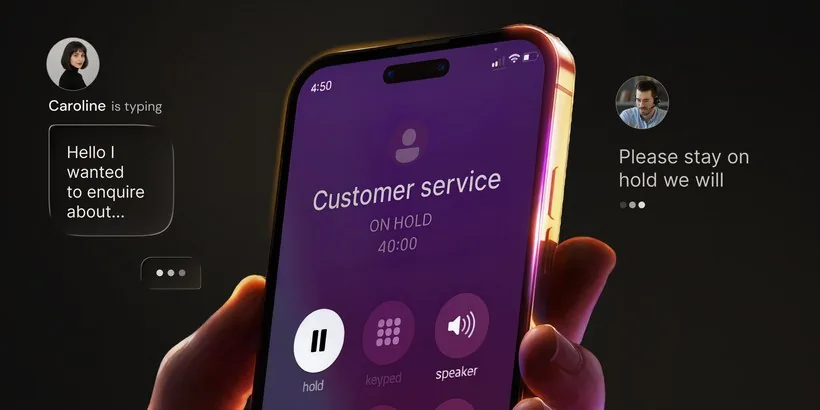
A customer service call on hold for 40 minutes while OsmO waits
  • Navigates phone menus. Listens to every option and presses the right keys for you.
  • Waits on hold. You get on with your day; OsmO holds the line.
  • Hands you the call. When a person answers, tap to take over, or let OsmO finish and send you a summary.
  • Cuts the noise. OsmO also screens spam and robocalls, so the calls that reach you are the ones that matter.

HDFC Bank customer service FAQ

What is HDFC Bank’s customer care number?

1800 1600. We took it from hdfcbank.com and called it ourselves on Oct 28, 2026.

What are HDFC Bank’s customer service hours?

The phone menu itself says agent-assisted services are available 8am to 8pm for loan and general queries. Card blocking is available 24x7. The FASTag registration line answered at about 2:45am India time in our test.

Is there a HDFC Bank number that’s open 24/7?

Partly. Card blocking is 24x7, but most agent-assisted options say 8am to 8pm. The FASTag registration option reached a phone banker at night in our test.

How do I skip the automated menu?

Call 1800 1600, then press 3, then press 2, then press 4, then press 4, then press 2. That reached a person in our test.

How long is the wait to talk to someone?

About 3 min in our test on Oct 28, 2026. Your wait may be shorter or longer.

How hard is the HDFC Bank phone menu?

We rate it 76/100 (Hard). It took 5 steps to reach a person, across 11 menus with 49 options. Our score adds 10 for every key or spoken step on the way, 10 for every forced wait, 5 per minute until a person and 1 for every menu.

Can someone call HDFC Bank for me?

Yes. OsmO, an AI phone assistant app, can call HDFC Bank, press the keys and wait on hold for you.

Do I need my customer ID to talk to HDFC?

For most options, yes: the menu asks for your debit card, credit card or customer identification number. The FASTag registration option reached a phone banker without one in our test.

How we tested this

OsmO is not affiliated with HDFC Bank. The number comes from HDFC Bank’s own website. Menus change; ours was tested on Oct 28, 2026.

Let something else answer. Your first seven days are free.

Download on theApp Store Get it onGoogle Play

Free 7-day trial